 MotoVolume
Why you can't hear your music above 80 km/h
You set the volume in the driveway. It sounds fine. Then you get on the highway and the music is gone. You only hear wind. At the next red light it's suddenly far too loud.
Your intercom or speaker is fine. Most of the problem is wind noise.
Wind noise grows fast
Inside a helmet, most of the noise doesn't come from the engine. It comes from air moving around the helmet and your neck. That noise gets louder quickly as you go faster. Research on helmet noise has measured levels above 100 dB at highway speeds. That's as loud as a power tool next to your ear.
Your music stays at the same level, so the wind covers it.
So you turn it up, and then it's too loud
Most riders do the same thing. They turn the volume up on the highway and forget about it. Then they stop at a light and the music is blasting. The people around them can hear it, and they can't hear their mate or the street.
Changing the volume on the move isn't easy either. Intercom buttons are small, and gloves make them harder to press. Every time you reach for one, your hand leaves the bar and your attention leaves the road.
What helps
- Wear earplugs. It sounds backwards, but earplugs cut wind noise more than they cut music. Many riders hear the music more clearly with them in. It also protects your hearing.
- Check the helmet fit and the neck gap. A lot of wind noise comes in from under the helmet. A neck sock or a better fitting helmet makes a real difference.
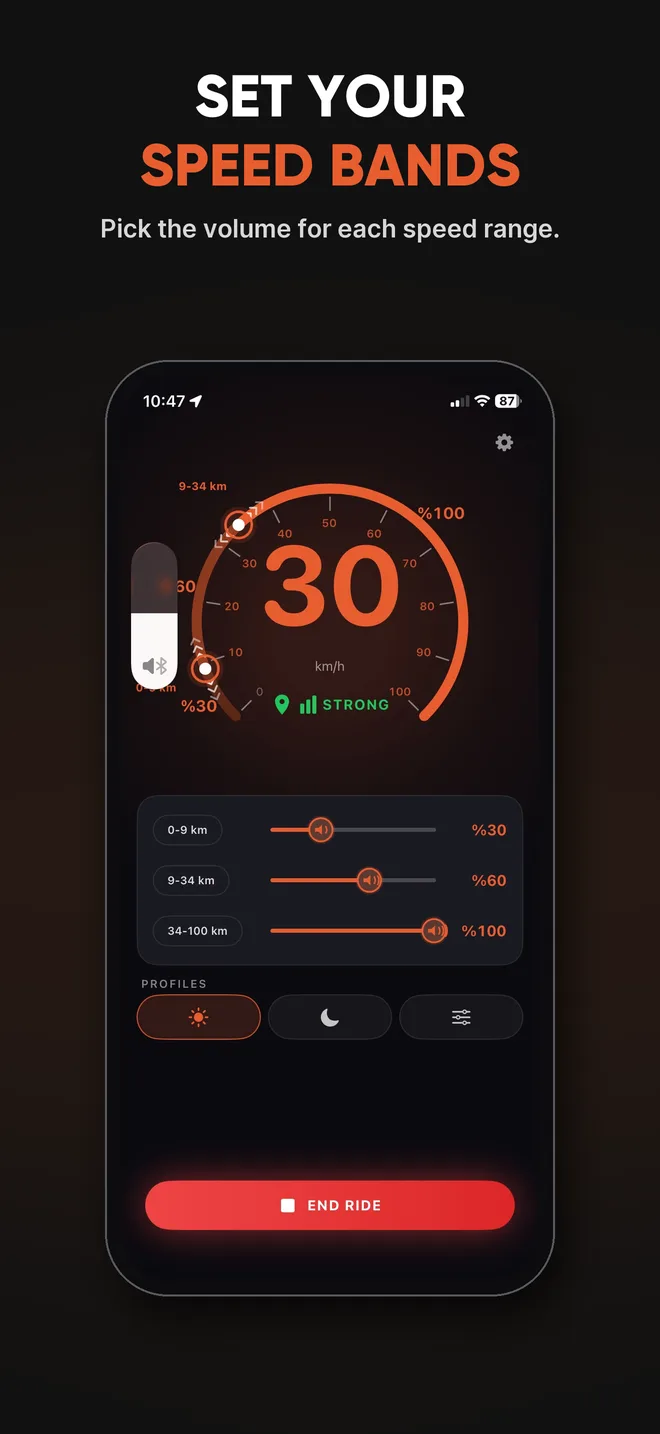
- Make the volume follow your speed. That's why we built MotoVolume. You set a volume for each speed range once. After that it turns the music up on the highway and down at the lights, so you don't touch any buttons.
Don't just turn it up
More volume isn't the answer if the wind is already very loud. Use the lowest volume that's still clear, and lower the wind noise first. Your ears will last a lot longer.
Try MotoVolume
Free to set up. Works with your helmet intercom, a Bluetooth speaker or earbuds.